Notes · November 21, 2026
My Storyland MCP server
My Storyland takes a book and turns its places into a trip, so you can follow the story beyond the page.
I added an MCP server so you can use My Storyland from Claude, Codex, or any other MCP client, and get regions, a route, and a day-by-day plan. Clients that support MCP Apps also show a card in the chat.
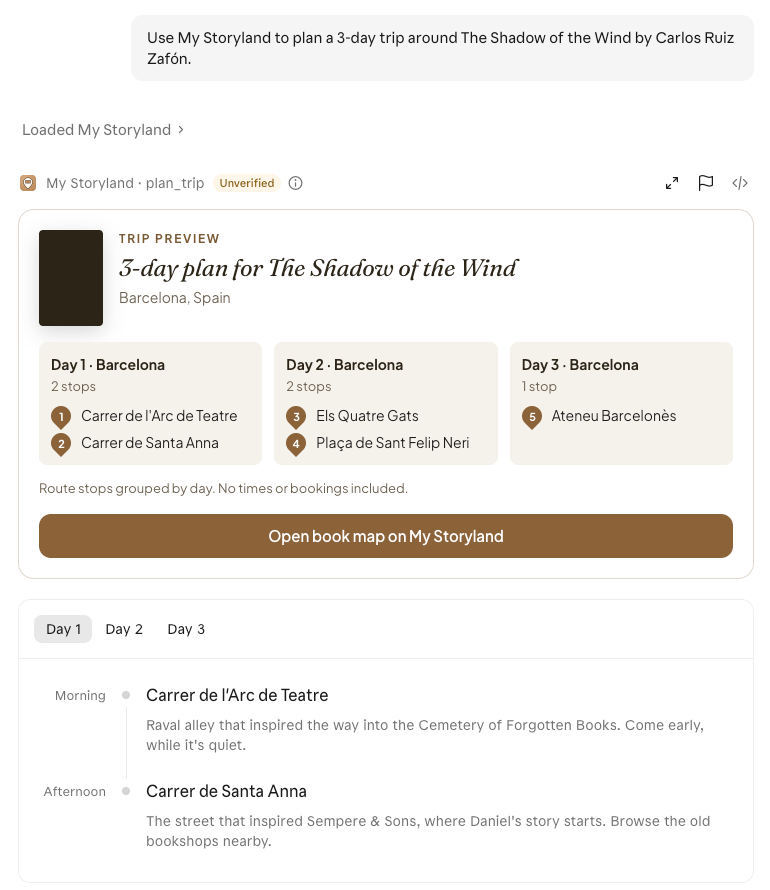
Ask for a 3-day trip around The Shadow of the Wind, and you get a trip card with five stops in Barcelona.
Solution overview
I built the MCP server as a thin layer over the code behind the website, so a request from a chat reaches the same story agent. The gateway handles the MCP session and checks whether the request can proceed. The story agent does the search.
The diagram follows a request from the client’s tool call through the gateway and back to the chat, then shows how the card requests its map image. The numbers match the steps below.
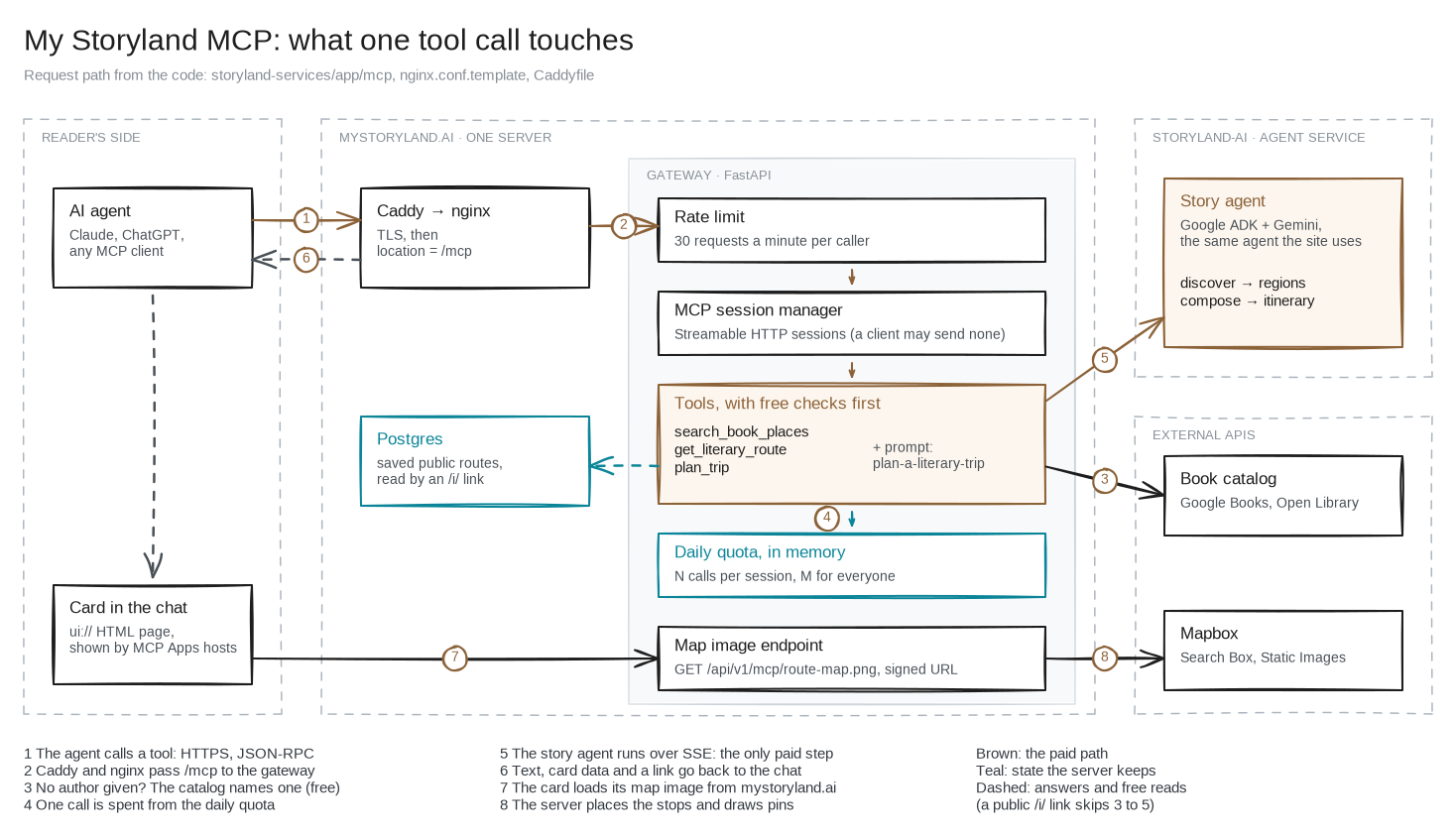
- The agent calls a tool over HTTPS, using JSON-RPC to send the request.
- Caddy and nginx pass
/mcpto the FastAPI gateway, behind a rate limit and the MCP session manager. - The gateway checks the book against the site’s own catalog.
- One call is spent from the daily quota.
- The story agent runs over SSE. This is the only paid step.
- Text, card data, and a link go back to the chat.
- The card loads its map image from mystoryland.ai.
- The server places the stops and draws pins with Mapbox.
The tools
search_book_places finds the regions and cities behind a book, so you can see where a trip might take you before choosing a route. Its job is discovery.
get_literary_route returns a route of stops for one region, and gives the agent the places to use for that part of the book.
plan_trip splits the route across your days, and accepts an optional starting city and pace. The day split adds no places and makes no model call.
The “plan a literary trip” prompt tells the agent how to choose a region and split stops into days, and suggests including passages to read. You can download the same file as a skill.
The widget in the chat
The part I find most interesting is the card I added to My Storyland: in apps that support MCP Apps, you can see the trip alongside the text. The trip card shows days and stops, with a button to open the book map. The route card includes a numbered map: for A Moveable Feast, six stops in Paris’s 5th and 6th arrondissements.
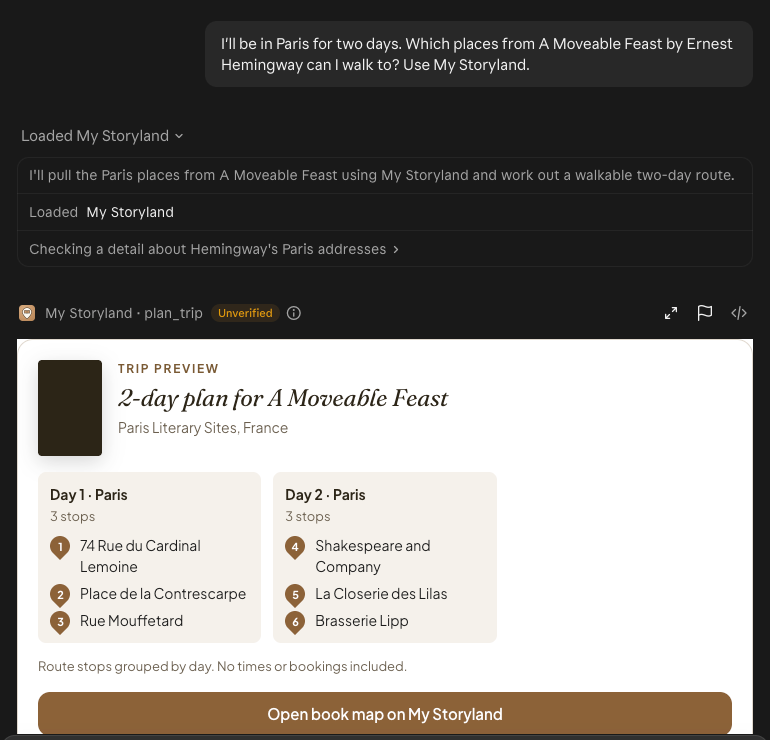
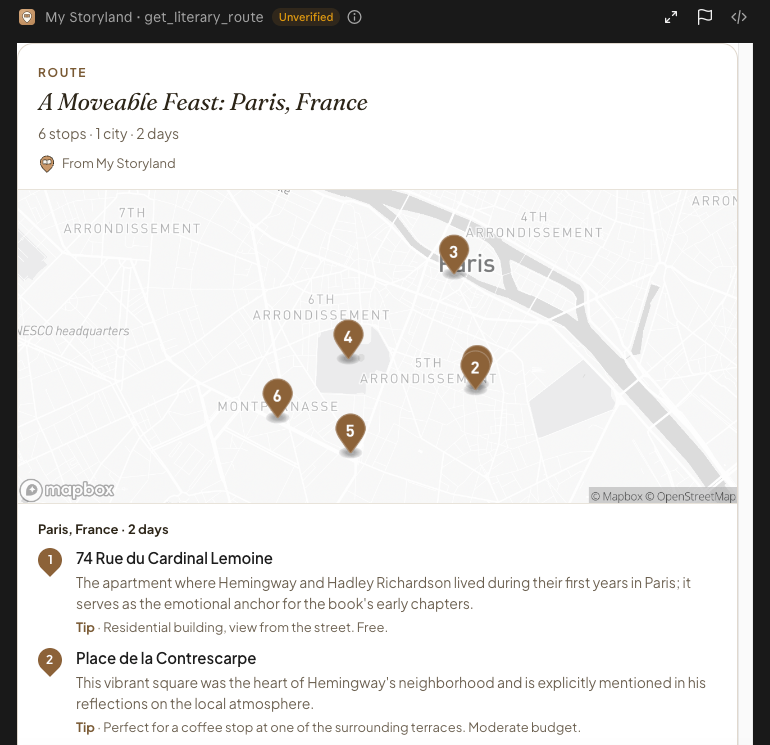
MCP Apps is an extension of the MCP protocol, and I register two small HTML pages under ui:// addresses so the app knows what to display. Each tool’s metadata names its page: get_literary_route uses the route card, and plan_trip uses the trip card. search_book_places stays text only.
Each card-producing call returns the answer as plain text and the card’s data as structured content, so a client without MCP Apps still has the answer. Nothing depends on displaying the card.
Claude hosts our HTML inside its own interface, so it runs the card in a sandboxed iframe that cannot see the conversation or touch the app. The only channel is postMessage. A small bridge script in the card receives the tool’s data through that channel.
The card only places text the server already wrote, and I insert it as text rather than markup so nothing in the data can run as code.
I also declare which domains the card may load from: our domain and the sources for book covers and fonts. The map is a ready PNG from mystoryland.ai, rendered on the server with Mapbox from signed stop names, so the map rendering stays with the product. No map key or map library goes into the chat.
Design decisions
Reuse the product code
I kept each tool as a wrapper over calls the site already makes, so the MCP server runs the same story agent without a second copy of the business rules. Splitting a route into days is the one exception. That step arranges the route already returned.
Check before spending
I put the free checks before the paid call: valid input, a catalog match, search enabled, and room in both daily quotas. If books share a title, the catalog entry with the most ratings wins. A failed check returns a plain sentence.
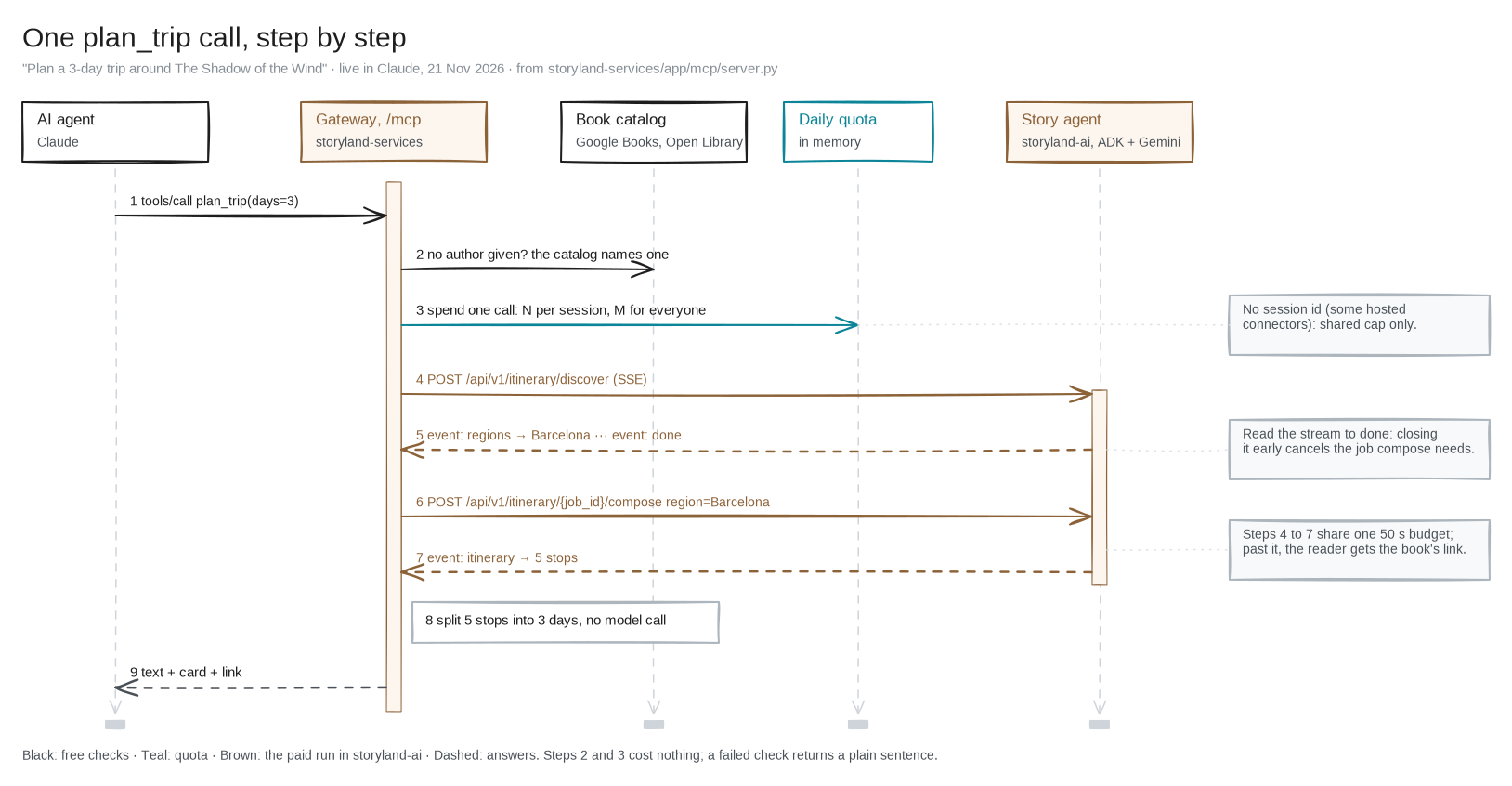
The diagram follows one plan_trip request through those free checks and shows where the single paid call begins.
The search has a 50-second budget because agents give a tool call about a minute, and a timeout returns the book’s link instead of an error. A public route link is cheaper still. The server reads it straight from the database.
Count by session
I chose a daily allowance per MCP session because Claude and ChatGPT send requests from shared provider IPs, so an IP-based allowance would group unrelated readers together. One busy agent could use up website visitors’ allowance. Each session gets N calls a day.
Everyone together gets M calls a day, because a new session starts with a fresh allowance and the session limit alone cannot cap total use. An unset or broken setting means zero calls. A configuration mistake cannot open free access.
The reader chooses the region
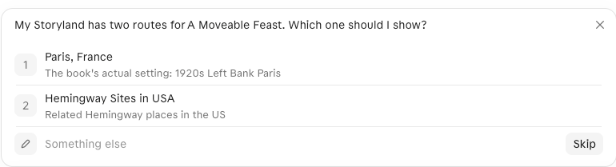
You can ask for a trip around A Moveable Feast by Ernest Hemingway, and Claude asks you to choose between “Paris, France” and “Hemingway Sites in USA.” You choose which trip you want.
When several regions are available and the tool call contains none, the server returns the options and asks the agent to ask you before calling again. The reader makes that choice.
Lessons learned
Hosted connectors sometimes called tools without a session ID, so I made those requests count only against the shared daily limit. The shared cap still applies.
The search returns a stream of events, and closing it as soon as the regions arrive cancels the upstream job that the next step needs. I changed the server to read the stream to the end.
The MCP library accepted only requests addressed to localhost by default, so callers reaching the public domain were refused. I disabled that restriction because /mcp carries no cookies or other credentials.
Try it
Add https://mystoryland.ai/mcp as a custom connector in Claude, or as an MCP server in Codex or another client, and ask for a trip around a book. You can also use My Storyland on the website.